
 https://apolloflightprogram.netlify.app/
 Join our Discord
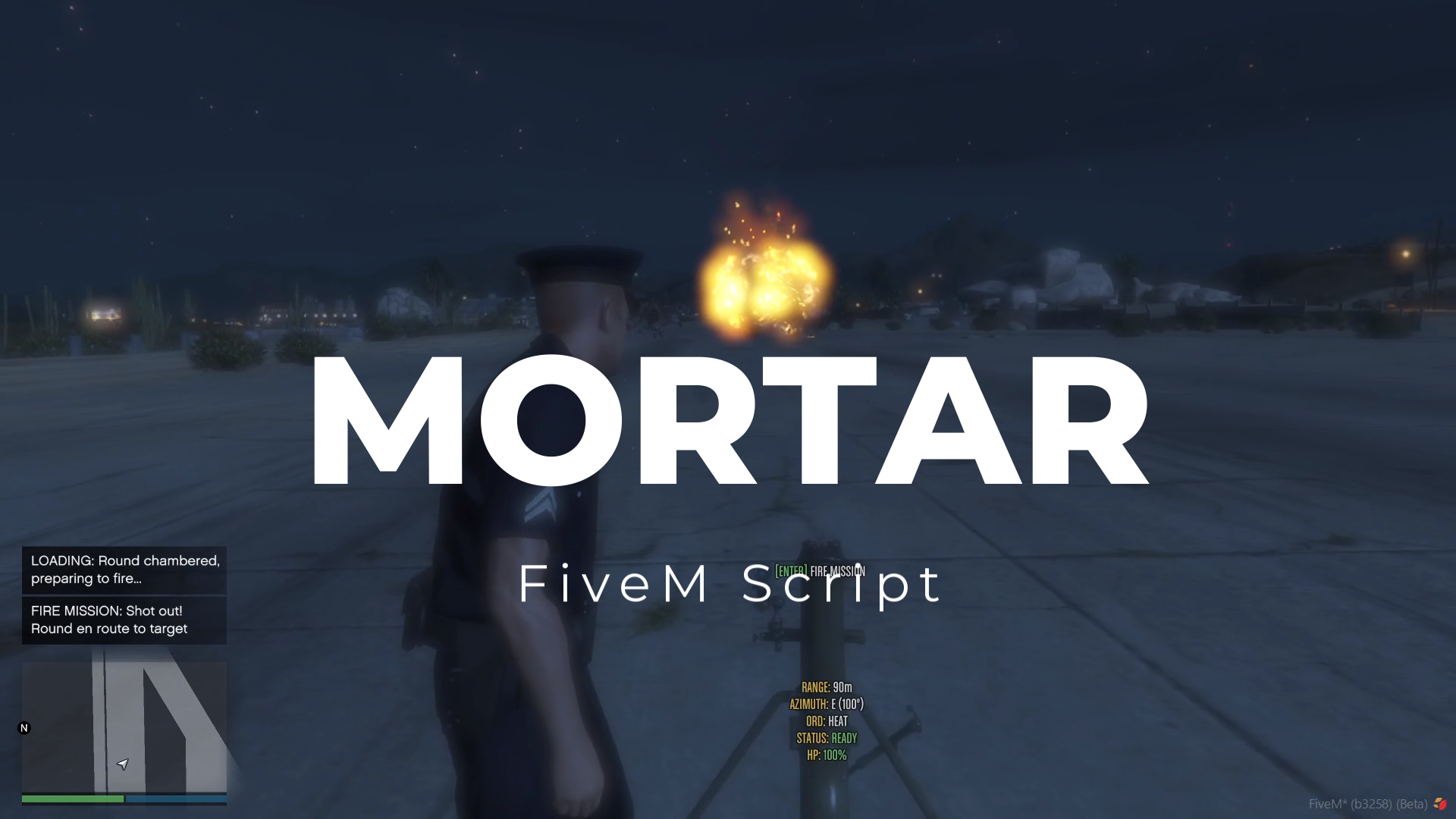
Mortar System
REALISTIC MORTAR SYSTEM
-
Deployable artillery emplacements with custom 3D model
-
Realistic ballistic trajectory calculations
-
Adjustable firing range (5m to unlimited)
-
360° azimuth rotation with cardinal direction display (N, NE, E, SE, etc.)
-
Precise degree heading display (0-360°)
COMMANDS
Player Commands:
-
/installmortar - Deploy a Mortar at your location
-
/removemortar - Dismantle the nearest mortar (3m range)
Admin Commands:
-
/mortarlist - List all active mortars with health, owner, and location
-
/mortarclear - Remove all active mortars from the map
HOW TO USE
DEPLOYING A MORTAR
Type in chat: /installmortar
The mortar will be placed 2 meters in front of you, facing away from you.
OPERATING THE MORTAR
Walk up to the mortar (within 1 meter). You'll see the tactical HUD appear.
CONTROLS
- ARROW LEFT/RIGHT - Rotate mortar (adjust azimuth/direction)
- ARROW UP/DOWN - Increase/decrease firing range
- X - Cycle ordnance type (HEAT → SMOKE → FLARE)
- V - Hold to show targeting laser and impact marker
- ENTER - FIRE MISSION (launch the round)
THE HUD DISPLAYS
- RANGE: Distance to target in meters
- AZIMUTH: Cardinal direction (N, S, E, W, etc.) and degrees (0-360°)
- ORD: Current ordnance type loaded
- STATUS: System status (READY or FIRING)
TARGETING LASER
The targeting laser automatically appears when:
- Adjusting direction (arrow keys)
- Adjusting range (arrow keys)
- Holding V key manually
The laser shows:
- Red vertical beam shooting 150m into the sky
- Pulsing ground circle at impact point
- Crosshair markers
- Range and direction text
REMOVING A MORTAR
Stand near the mortar and type: /removemortar
IMPORTANT NOTES
- This script uses NetworkedParticleFx which requires proper server sync
- OneSync is HIGHLY RECOMMENDED for best multiplayer experience
- Only the shooter deals damage to prevent duplicate hits
- Other players see explosions but not the actual projectile
- Server logs all fire missions for admin tracking
- Targeting laser is CLIENT-SIDE only (not visible to other players)
- ox_lib is optional - script has built-in fallback