
 https://apolloflightprogram.netlify.app/
 Join our Discord
Demo Video Upcoming
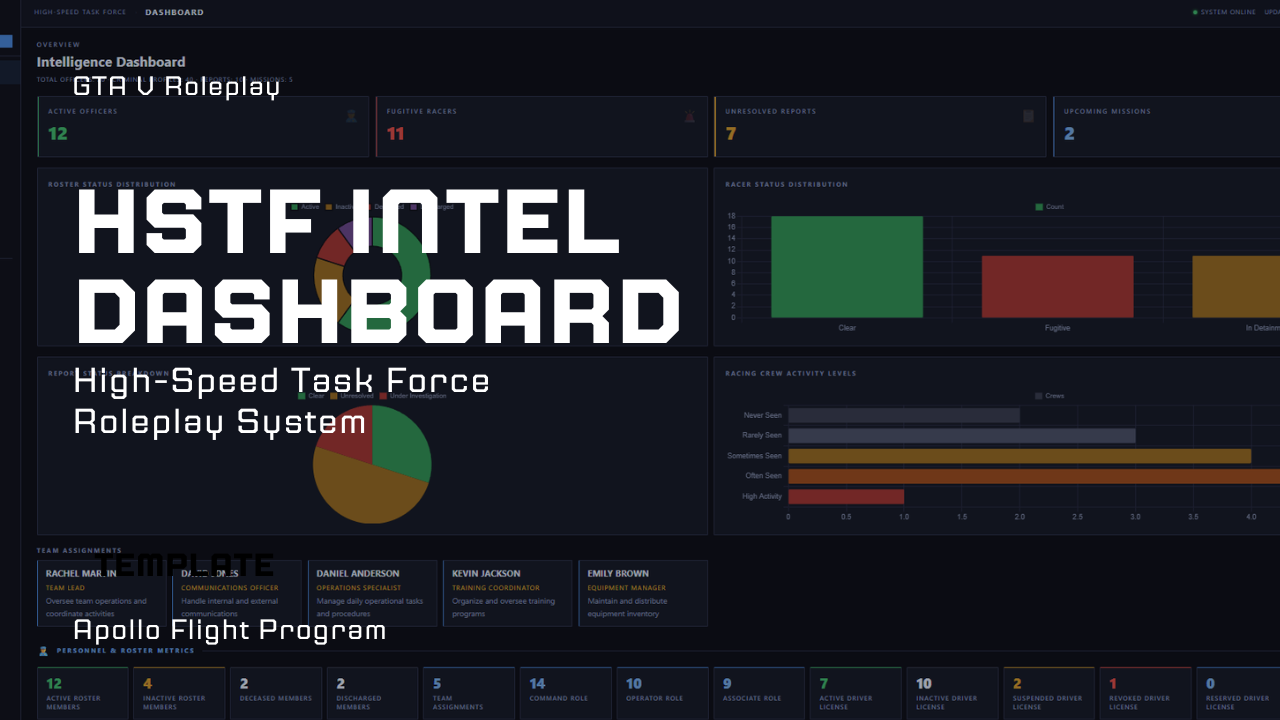
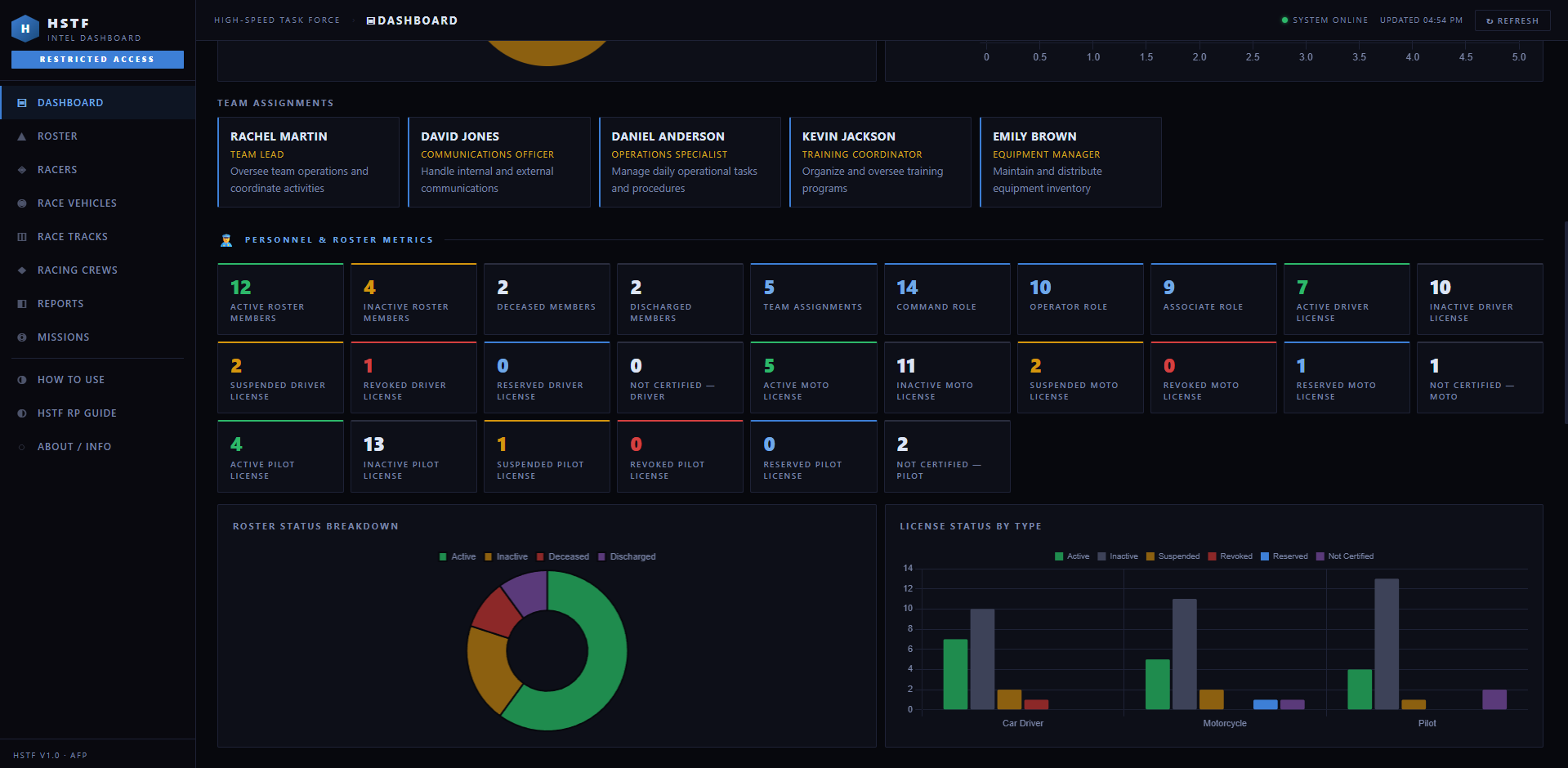
The HSTF Intelligence Dashboard is a fully-featured Google Sheets management system designed for GTA V law enforcement roleplay communities — specifically for units that operate as a High-Speed Task Force (HSTF), chasing and apprehending illegal street racers.
The system includes:
- A live web dashboard showing all data, charts, and metrics in a professional law enforcement interface.
- Custom form dialogs for entering all data categories: officers, criminals, vehicles, tracks, crews, reports, and missions.
- Automatic Google Drive folder and document creation for every entry.
- A built-in How-to-Use guide and a full HSTF Roleplay Guide inside the dashboard.
- Test data generators for immediate setup and demonstration.
NOTE: This template runs entirely inside your own Google account. No third-party servers. No subscriptions. Your data is yours.
After purchase you will receive:
- A link to copy the Google Sheet (the template spreadsheet with all script code already embedded).
- A setup guide document.
The Google Sheet contains all of the following built-in:
- Code.js — Main backend script (menus, web app, data fetching, Hard Reset)
- RosterManager.js — Officer roster management
- CriminalManager.js — Criminal racer profiles
- RaceVehicleManager.js — Race vehicle database
- RaceTrackManager.js — Race track mapping
- RacingCrewManager.js — Racing crew intelligence
- IncidentReportManager.js — Incident report filing
- MissionManager.js — Mission planning and deployment
- WebApp.html — The full live dashboard (charts, metrics, all data sections)
- All dialog form HTML files (Roster, Criminal, Vehicle, Track, Crew, Report, Mission)
Possible Roleplay Activities With This Dashboard
Managing Roster & Team Members
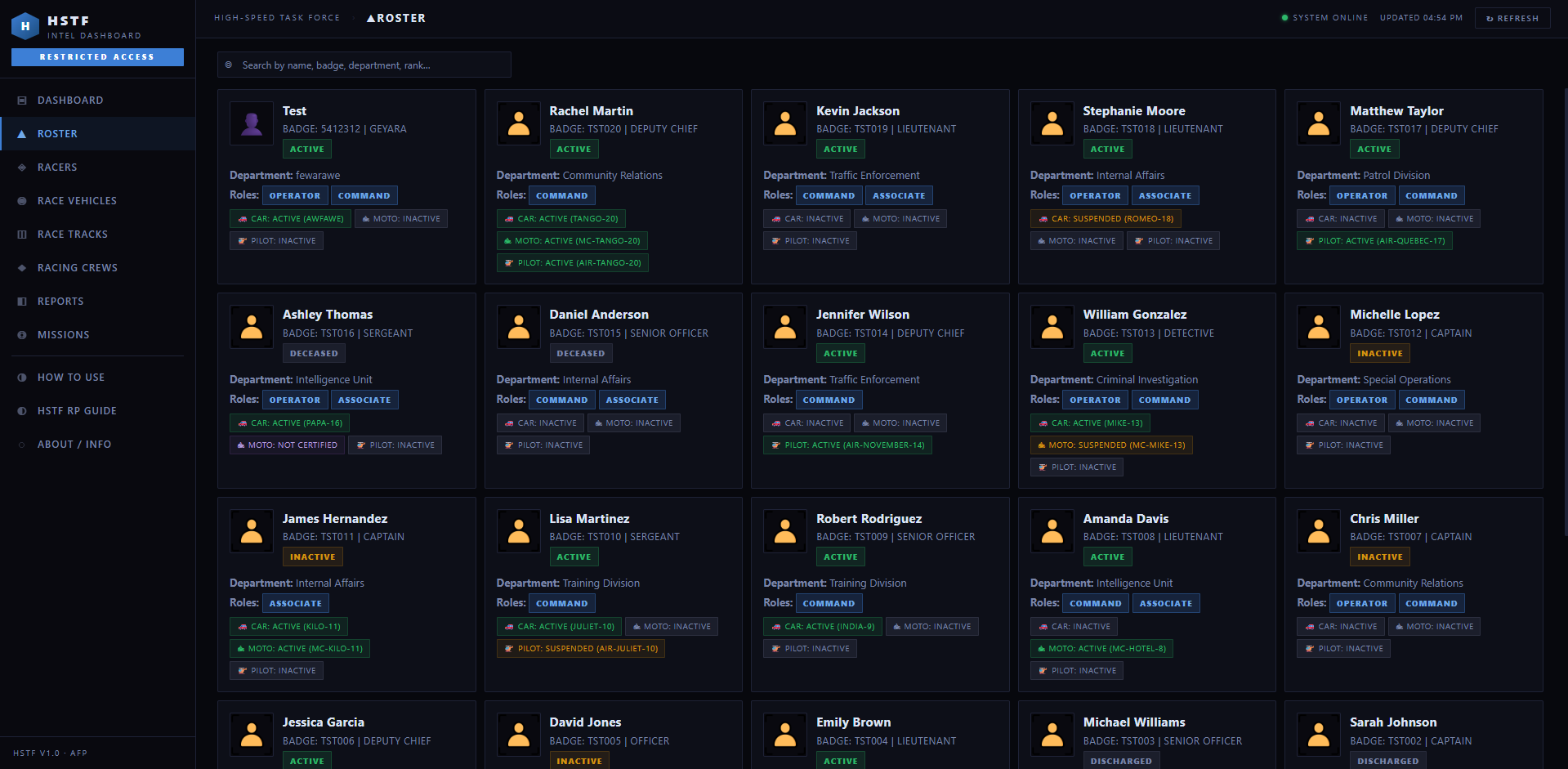
Every HSTF officer in the field is a real character in the roleplay. The Roster is the living record of your entire task force — who is active, what rank they hold, what they are licensed to operate, and how to reach them. Keeping it accurate reflects the operational readiness of your unit and drives authentic RP scenarios (promotions, suspensions, dischargements).
RP Activities
- Onboard a new officer — add them to the Roster, set their role and initial license statuses.
- Promote an officer — update their Rank field and, if they cross into Command, update their Assignment Role.
- Suspend a license — find the officer in the sheet, change their Driver/Motorcycle/Pilot license status to Suspended. This triggers a change in what operations they can participate in.
- Discharge or mark as Deceased — update the Status field. The record is preserved for history.
- Manage the Team tab — assign high-level organizational positions (e.g., "Director of Intelligence," "Field Commander") and their descriptions.
Managing Criminal Individuals
The criminal database is your intelligence backbone. Every racer you encounter in the field should have (or eventually build towards) a profile. An incomplete profile represents a suspect you're still investigating — a complete, verified one means HSTF has a full dossier on that individual. Criminal profiles drive real RP: fugitives can be flagged, detainees processed, and cleared individuals monitored.
RP Activities
- After intercepting a racer, create a new criminal profile with whatever information you have — even just an alias and a vague description.
- As you gather more intel (interrogations, surveillance), update the profile toward Complete (Verified).
- When a suspect is wanted, flip their Status to Fugitive. All officers will see this on the dashboard.
- When a suspect is arrested and processed, update to In Detainment, then Clear once released or cleared.
- Cross-link suspects to their Racing Crew, known vehicles, and associates to build a connected intelligence picture.
Managing Vehicles in Illegal Racing
Illegal racing vehicles are criminal assets. Every car, truck, or motorcycle used in street racing is evidence of a crime. HSTF builds a vehicle intelligence database so officers can instantly recognize a known racing vehicle by its plate, color, or livery pattern — even before they confirm the driver.
RP Activities
- After spotting a racing vehicle, log it with as much detail as possible — even a partial plate and color is a start.
- After each confirmed racing incident involving a vehicle, increment the Known Race Count and add a star if warranted.
- When a vehicle changes hands (owner arrested, sold to an associate), update the Owner field and Known Drivers list.
- Use the vehicle's Fugitive Status during patrol briefings — officers should memorize high-star vehicle plates.
- Cross-reference vehicles with their crew to understand the crew's fleet composition and financial capability.
A ⭐⭐⭐⭐⭐ (Five stars) vehicle that reappears at races is a priority for seizure. Build the case with enough race count evidence to justify a mission deployment.
Managing Race Tracks in Illegal Racing
Illegal races don't happen randomly — they follow established routes that racers know by heart. HSTF maps these tracks so that when intelligence suggests a race is planned, officers can pre-position, set up checkpoints, and intercept. Knowing the track is a tactical advantage.
RP Activities
- After observing or receiving a tip about a new racing route, log it as Unverified with whatever details you have.
- After HSTF directly witnesses a race on that route, update to Verified and fill in full details.
- Use track data to plan mission deployments — include the track map image in mission briefing documents.
- Monitor which crews use which tracks — this builds operational patterns for predictive policing RP.
- Flag high-frequency tracks for regular patrol by Operators during known racing hours.
Managing Racing Crews in Illegal Racing
Illegal street racing is rarely a solo activity — it's organized. Racing crews are criminal organizations built around speed, reputation, and territory. Understanding a crew's structure, activity level, and membership is essential to dismantling the illegal racing network. Taking down a crew leader is far more impactful than arresting a lone racer.
RP Activities
- When a new crew is identified (by name, logo, or multiple associated racers), create a Crew profile and begin building it out.
- Update the Activity Level after each observed operation — sightings at races, confrontations, intelligence tips.
- When crew leadership is arrested, note the impact on activity level in the Additional Info field.
- Use the Associated License Plates list during patrol briefings — crews often share vehicles.
- Mark crews as Disbanded only after sustained inactivity and confirmation that key members have been imprisoned or fled the city.
- Build cross-references between individual criminal profiles and their crew — HSTF can see the full web of connections.
Managing Incident Reports
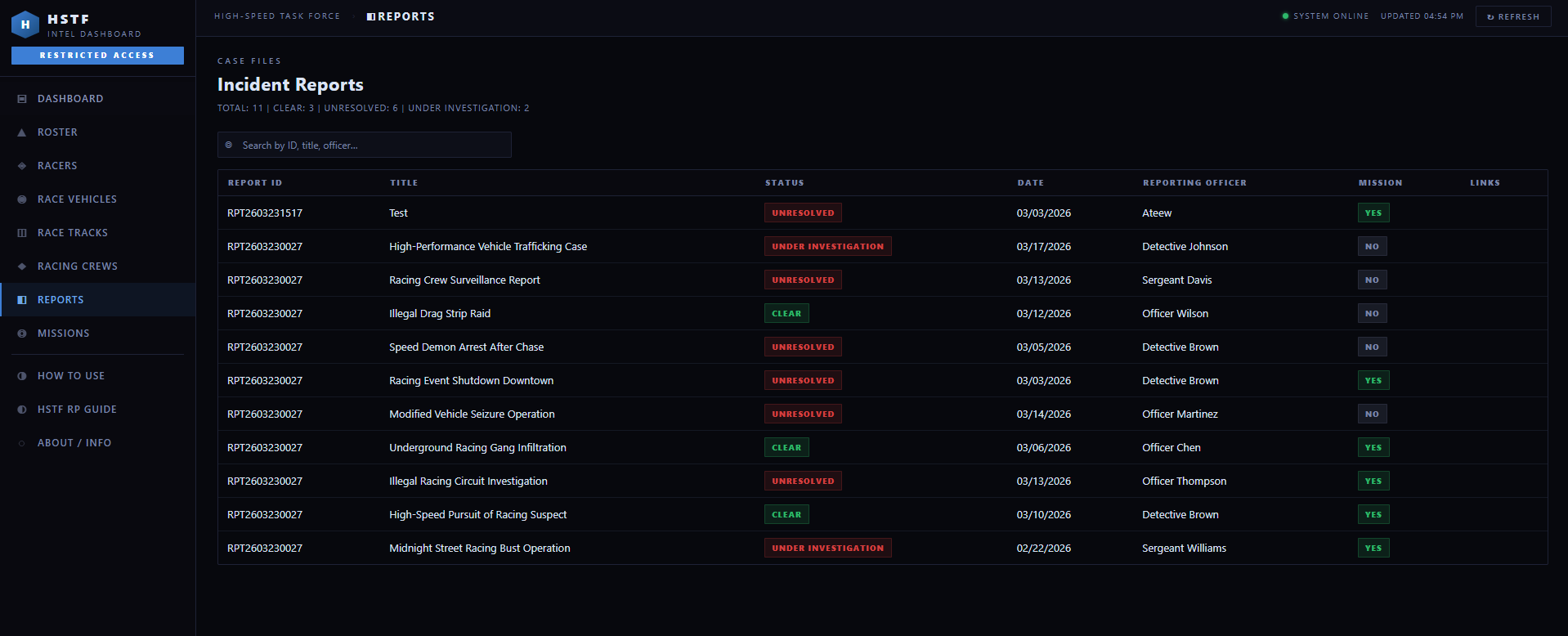
An incident report is the official record of everything that happened. It is the paper trail of HSTF operations — without it, arrests and operations have no documented basis in the roleplay narrative. Filing a thorough report is what separates a professional law enforcement RP from casual play. It also triggers the mission pipeline: a report with Mission Deployment set to "Yes" becomes the legal justification for a coordinated operation.
RP Activities
- File a report after every significant RP encounter — pursuits, arrests, observations of illegal racing, surveillance operations, or confrontations with racing crews.
- For minor encounters (a single traffic stop, a short pursuit with no apprehension), file an Unresolved report and update it as more information develops.
- For significant incidents (crew confrontation, multi-vehicle race, officer injury), file Under Investigation and flag for Mission Deployment.
- Use the Report Document (auto-created in Drive) to write the full narrative report — use roleplay-style police report writing for maximum immersion.
- Regularly review open Unresolved and Under Investigation reports in the dashboard — these are your active case load.
- Resolve reports once the case is closed: suspect convicted in RP court, crew disbanded, or case dropped.
Managing Missions
Missions are coordinated, pre-planned HSTF operations. They represent the highest level of organization in the task force — a formal deployment with assigned command, clear objectives, and documented outcomes. Where incident reports capture what happened reactively, missions define what HSTF will do proactively. A well-executed mission creates memorable, structured RP events for your entire community.
RP Activities
- When an incident report flags Mission Deployment = "Yes", a Command officer reviews it and creates the mission formally.
- Set a Deployment Date and Time — then announce the mission to assigned units. The countdown builds anticipation and organizational energy.
- Hold a pre-mission briefing in-game using the Mission Document as your script. Brief assigned units on the objective, their roles, radio channels, and tactical plan.
- Execute the mission — document everything that happens in the field.
- After the mission, update its Status and file a post-mission incident report summarizing outcomes, arrests, vehicle seizures, and intelligence gathered.
- Use mission outcomes to update criminal profiles, vehicle star counts, and crew intelligence — the database should always reflect the latest operational results.
Need help with setup, configuration, or customization?
Discord Support Server: https://discord.gg/BrXbYWKvrM